
Available on the App Store
iPhone & iPad
Use Simplyr on iOS and iPadOS for planning, studying, notes, grades, and more.
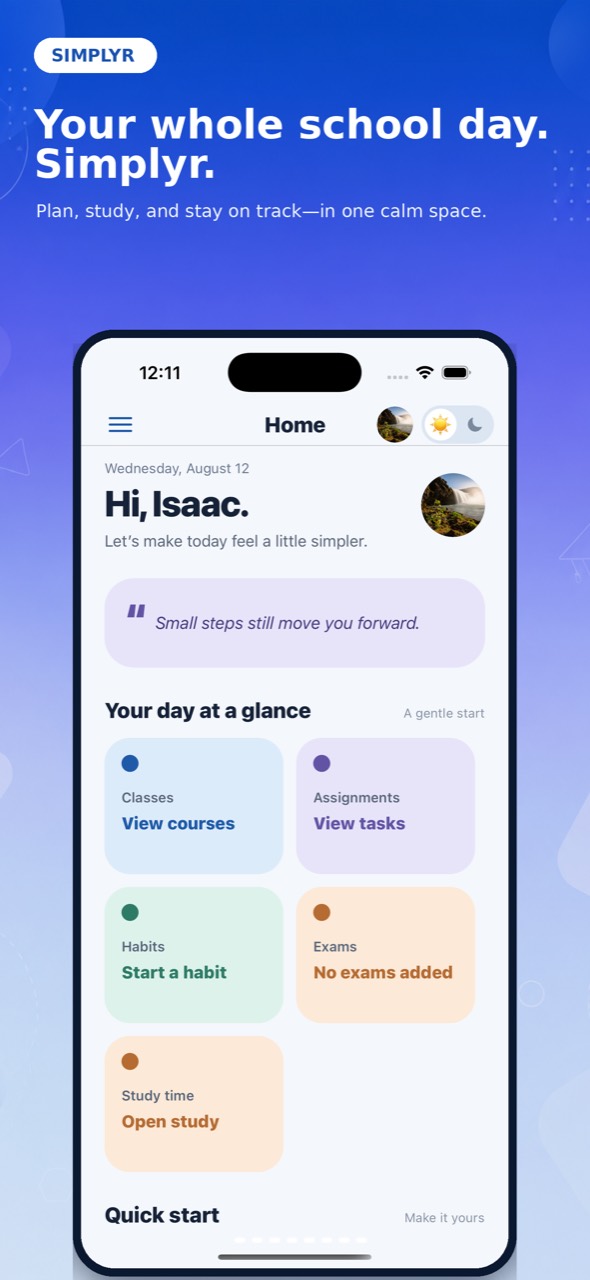
Simplyr is a college planner for iPhone and web, built for the things students actually manage: classes, assignments, exams, grades, notes, files, and study time. Less jumping between tabs. More knowing what to do next.
Open Simplyr in any modern Mac or Windows browser to plan your week, track assignments, check grades, and study without losing the thread. Your workspace follows your signed-in account across devices.
Assignments live in one tab, notes in another, and grades somewhere else. Simplyr gives the moving parts of your semester a home, so your next step is easier to find.
Explore what’s inside ↗The right system makes it easier to see coursework, grades, and the next study block. Start with the setup that fits your semester, not the longest feature checklist.
Simplyr puts the classes, deadlines, and study work that matter right where you can find them.
See how Simplyr works ↗Plan ahead, study with purpose, and keep the details of school from slipping through the cracks.
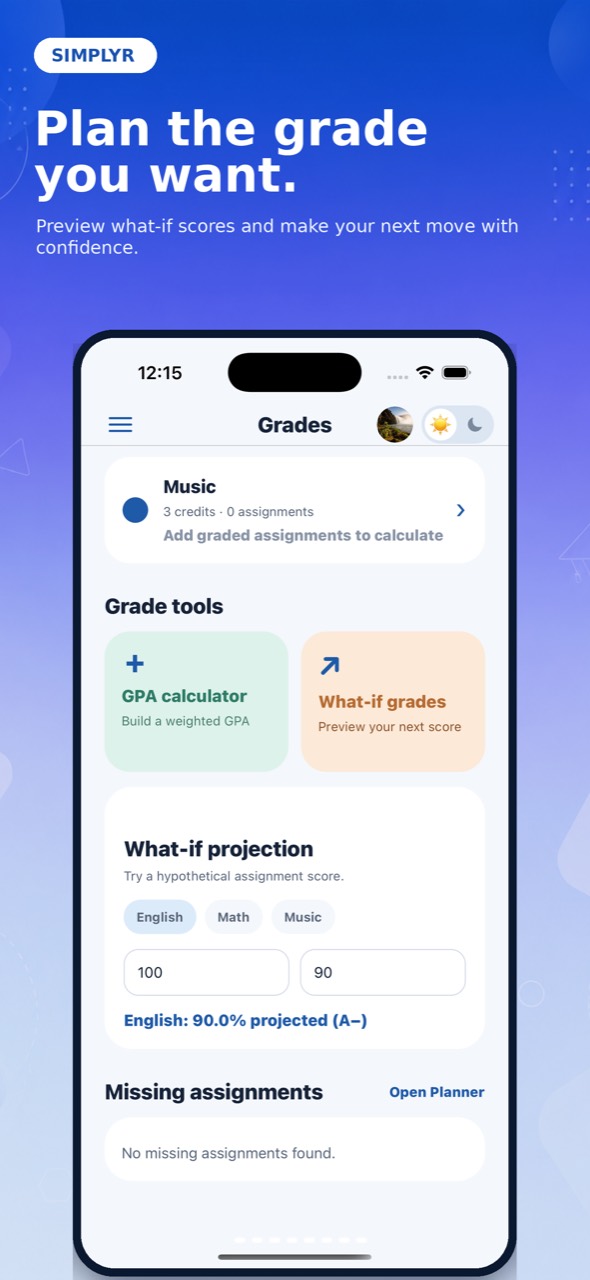
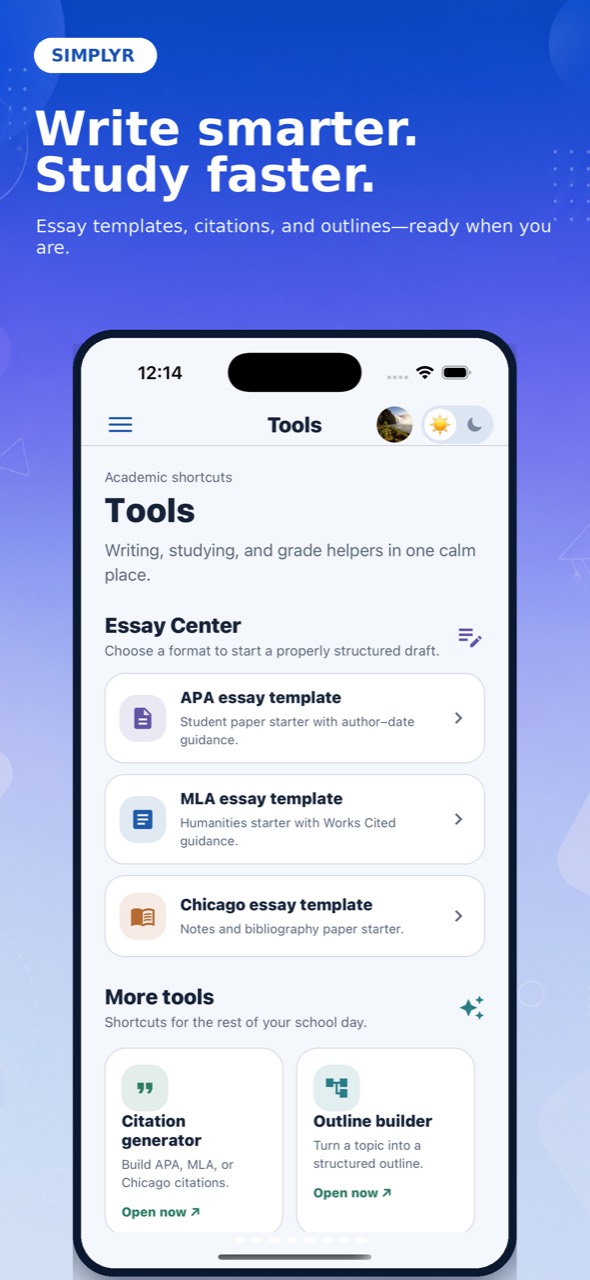
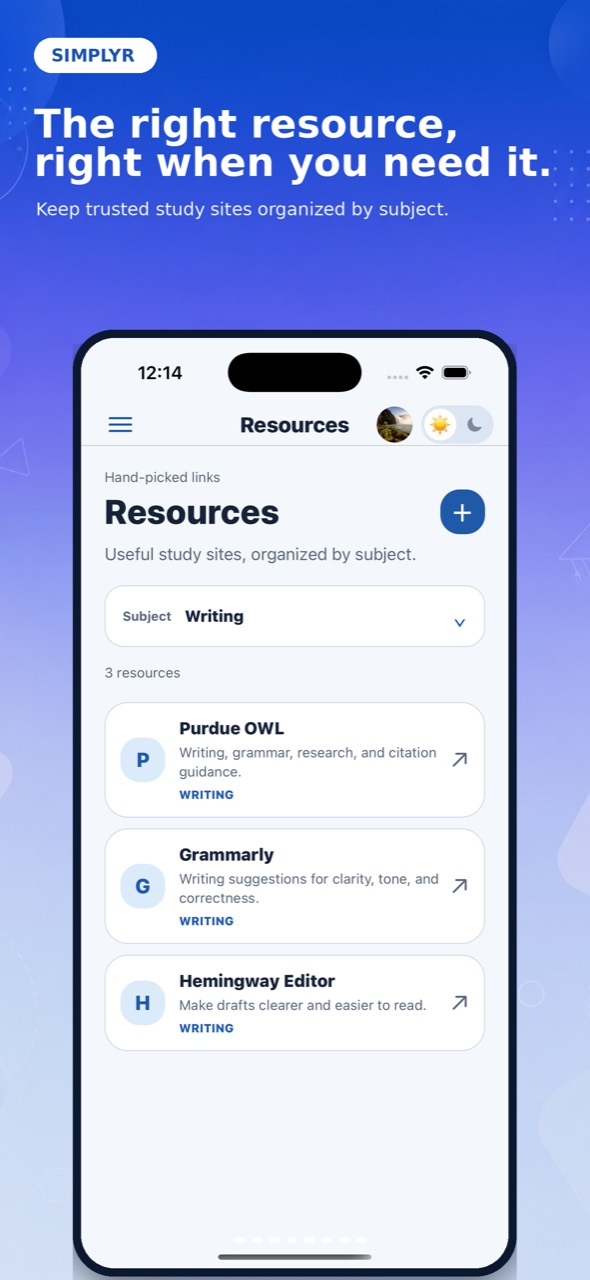
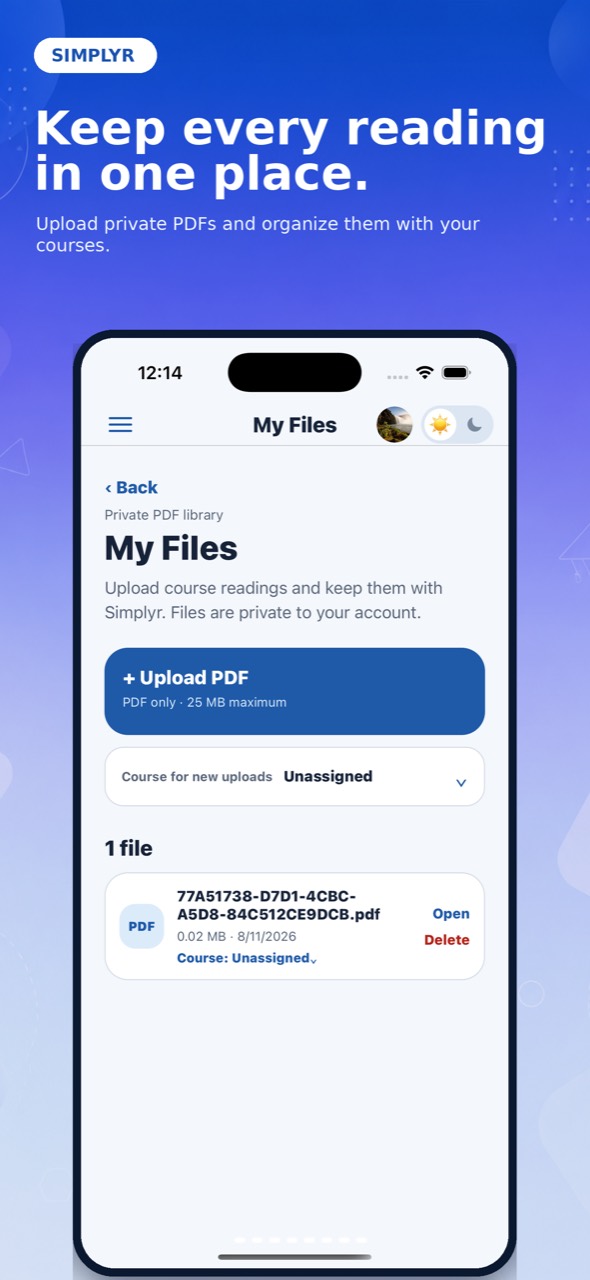
Start on the device you have with you, then continue in the same Simplyr workspace whenever you need more room to plan.
Use Simplyr on iOS and iPadOS for planning, studying, notes, grades, and more.
Use the full Simplyr web workspace in a modern browser on Mac or Windows. Native desktop apps are not required.
Open it between classes, before a study session, or when you need to see what is due. It is built to be useful every time.
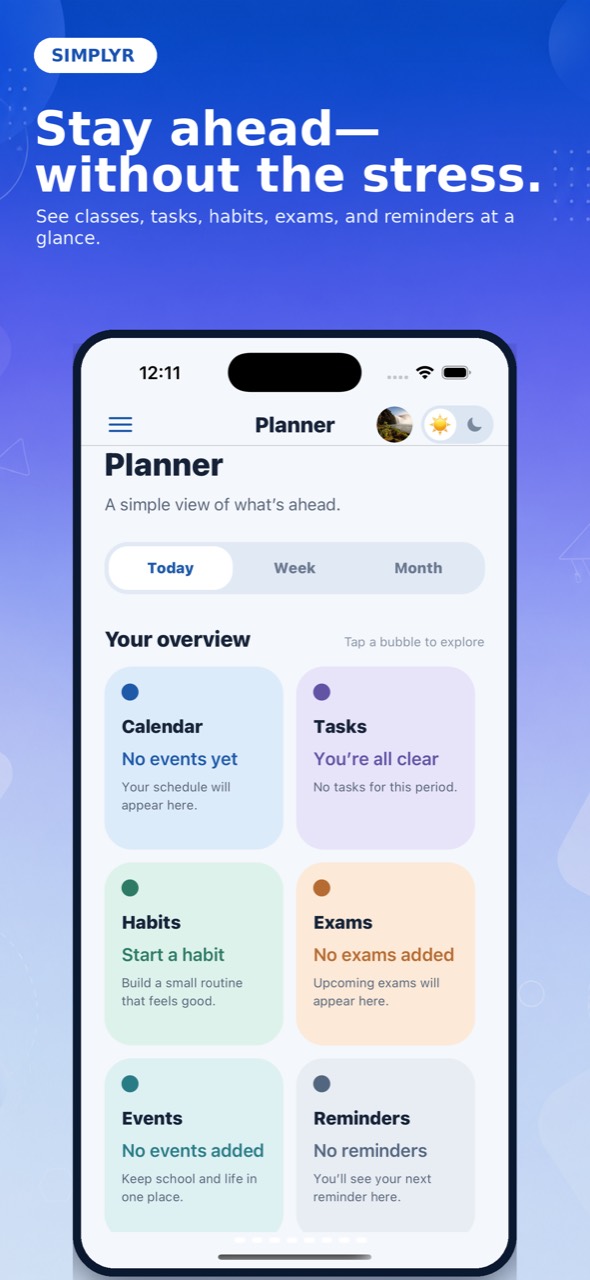
Keep tasks, events, exams, reminders, and habits in one view, whether you are planning today or looking ahead.
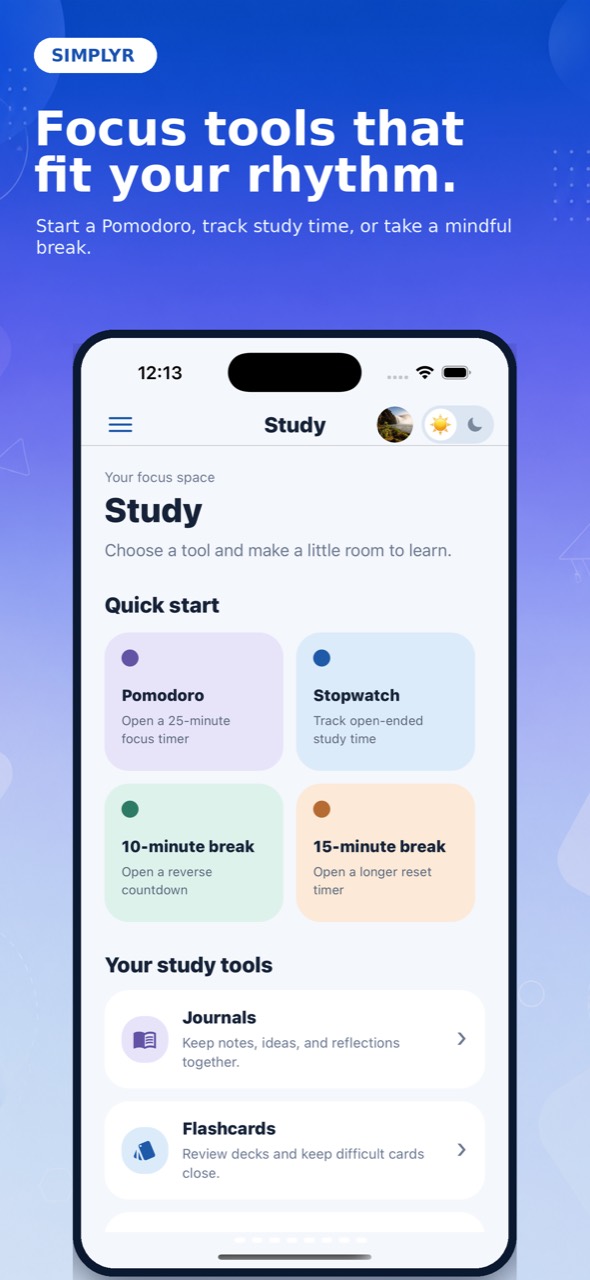
Use focus timers, flashcards, journals, and exam prep tools to make the next study session easier to start.
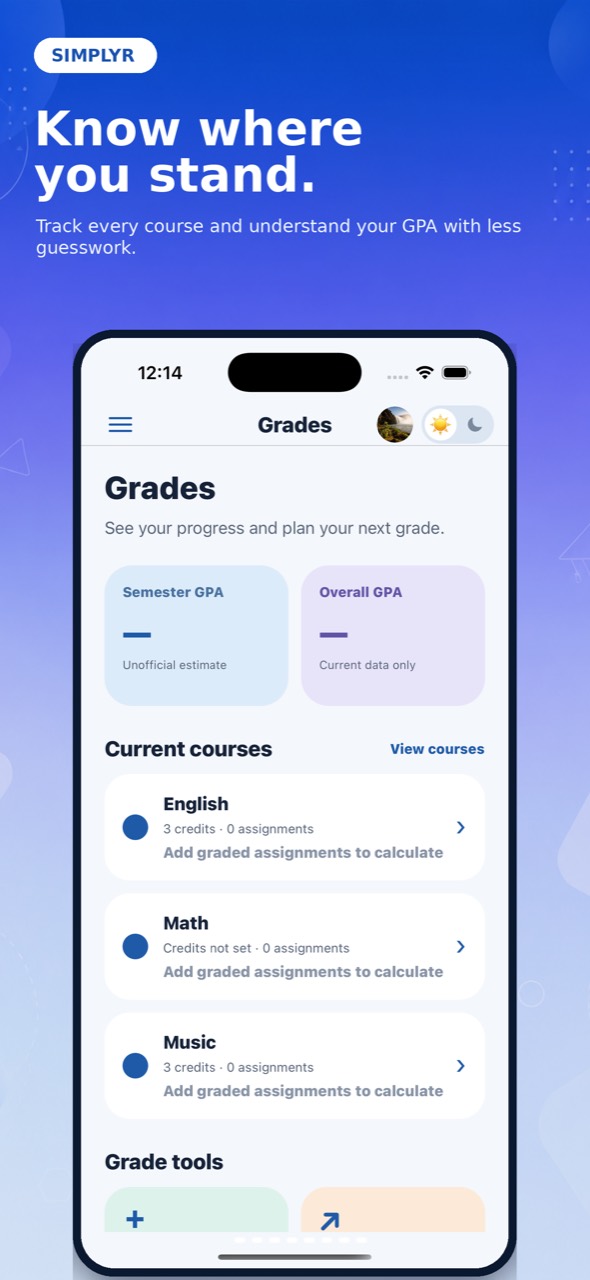
See the study tools ↗Track grades, GPA projections, attendance, and missing work without building another spreadsheet.
Explore the academic dashboard ↗Organize notebooks, essays, PDFs, recordings, and study materials around the courses they belong to.
Explore notes and resources ↗Explore focused guides for the academic work students manage every week, then use Simplyr to keep the plan in one place.
Bring supported courses, assignments, due dates, instructors, and available grades into your planning workflow.
Explore Canvas planning ↗ ASSIGNMENTSCapture deadlines, connect work to courses, and decide what needs attention before the week gets crowded.
Track college assignments ↗ GRADESEstimate your GPA, understand grade context, and plan around the work that can still change your semester.
Use the free GPA calculator ↗When school feels scattered, it helps to have one place to start.
Simplyr is for the moments when you need to make sense of the day, not spend time setting up another system.
Capture a class, task, exam, habit, note, or assignment before it gets forgotten.
Check what is happening today, this week, or later in the month.
Use a clear next step to make progress without starting from scratch.
Every student gets the core planner and a useful taste of Simplyr’s study tools. Pro removes the limits and adds the tools that save the most time.
Simplyr is available for iPhone and iPad through the App Store, and on the web. An Android app is not currently available.
Download Simplyr for iPhone from its official App Store listing. You can also use Simplyr in a browser at simplyr.app/app/. Download Simplyr on the App Store.
Simplyr offers a Free plan and optional Pro subscriptions. Check the App Store listing for current in-app purchase prices and the website pricing section for web plans.
Yes. Open the Simplyr web app in a modern browser on Mac or Windows. Sign in to use your Simplyr account across devices.
Simplyr is a college student planner app and study planner. It brings classes, assignments, study tools, notes, grades, and resources into one place. Learn what Simplyr is and how to spell it.
The best college planner app is the one you will review consistently. Simplyr is designed for students who want courses, assignments, grades, study tools, and planning in one ready-made academic workspace rather than several separate apps.
Look for an app that connects assignments, due dates, courses, grades, and a daily or weekly plan. Simplyr keeps that academic context together while your school system remains the official record.
Yes. Use Simplyr as a class schedule app and assignment tracker with courses, due dates, exams, tasks, and day, week, or month planner views.
No. Simplyr complements official school systems. It can import supported Canvas courses, instructors, assignments, due dates, and available grades when a school permits access. Canvas remains the official system for submissions, announcements, communication, and academic records.
Simplyr includes a Free plan you can use without a subscription. Pro is available monthly or annually; current pricing and checkout options are shown above.
Yes. Download Simplyr for iPhone from the App Store, or use the web app in a modern browser on Mac or Windows. Sign in with your Simplyr account across devices.
Student data is private by default. Simplyr is built with per-user access controls, secure storage policies, and clear account deletion controls.
Create your Simplyr account and set up a workspace that fits the way you actually do school.